

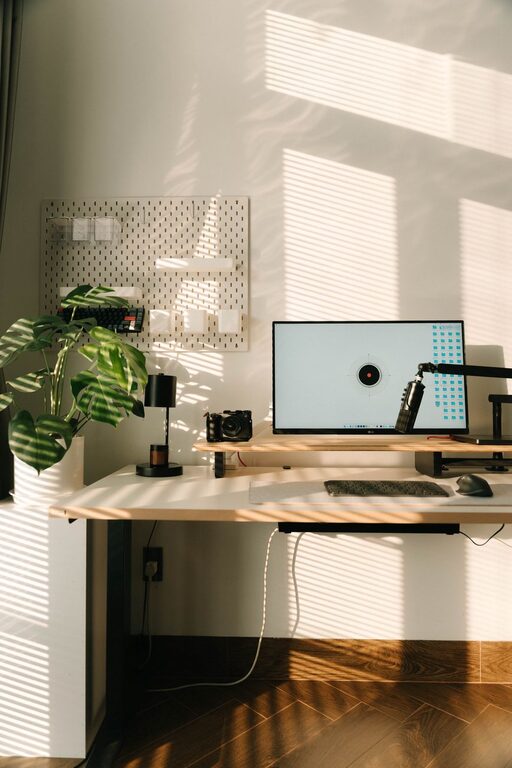
Creating a productive home office space is essential for anyone working remotely or managing tasks from home. A well-designed workspace can enhance focus, increase efficiency, and promote a healthy work-life balance. Whether you’re setting up a new office or improving an existing one, these tips can help you create a space that supports your productivity and comfort.
1. Choose the Right Location
Selecting the best spot in your home is the first step in creating a productive workspace. Ideally, your home office should be:
– Quiet and Free from Distractions: Avoid high-traffic areas like the kitchen or living room where interruptions are common.
– Well-Lit: Natural light is best—it helps reduce eye strain and elevates mood. Choose a spot near a window if possible.
– Separate from Relaxation Areas: Distinguish your work area from spaces where you relax to help maintain focus.
2. Invest in Ergonomic Furniture
Comfort is key during long hours of work. Ergonomic furniture supports your posture and minimizes strain:
– Desk: A desk with enough surface area for your computer, notepad, and other essentials is important.
– Chair: Choose an adjustable chair with good lumbar support to keep your back comfortable.
– Accessories: Consider a footrest, wrist rests, or adjustable monitor stands for added comfort.
3. Organize Your Workspace
An organized environment reduces stress and keeps you focused. Here’s how to maintain order:
– Declutter Regularly: Keep only the essential items on your desk.
– Storage Solutions: Use shelves, drawers, or filing cabinets to store documents and supplies.
– Cable Management: Use clips or cable organizers to prevent tangled cords and keep your desk tidy.
4. Optimize Lighting
Proper lighting reduces eye strain and maintains alertness:
– Natural Light: Position your desk near a window.
– Task Lighting: Use a desk lamp with adjustable brightness for focused tasks.
– Avoid Glare: Place screens to avoid reflections from windows or lights.
5. Personalize Your Space
Your home office should feel inviting and motivating:
– Add Plants: Greenery can improve air quality and boost mood.
– Artwork or Photos: Include items that inspire you but avoid clutter.
– Color Choices: Choose calming colors like soft blues or greens to promote concentration.
6. Minimize Noise
Background noise can be distracting:
– Use Noise-Canceling Headphones: Great for blocking household noises.
– Soundproofing: Add rugs, curtains, or acoustic panels to absorb sound.
– White Noise: Consider a white noise machine to maintain focus.
7. Establish Work Boundaries
Creating clear boundaries between work and personal life is vital for productivity:
– Set Work Hours: Define specific start and end times.
– Use Visual Cues: Close the door or use a room divider to signal work time.
– Take Breaks: Regular breaks refresh your mind and prevent burnout.
8. Equip Your Office with Essential Technology
Having the right tools helps your work flow smoothly:
– Reliable Internet: A fast, stable connection is crucial.
– Quality Equipment: Invest in a good computer, printer, and any other devices you regularly use.
– Backup Solutions: Use cloud storage or external drives to protect your work.
9. Keep It Clean
A clean environment supports clear thinking:
– Daily Tidying: Spend a few minutes at the end of each day cleaning your desk.
– Deep Cleaning: Regularly dust and sanitize surfaces.
Conclusion
Creating a productive home office space requires thoughtful planning, from choosing the right location to maintaining organization and comfort. By following these tips, you can design a workspace that not only helps you stay focused but also supports your well-being throughout the workday. Remember, small changes can make a big difference in your productivity and overall work experience at home.